
This guide explains how to reset your password for a Topdanmark user ID using the official self-service portal.
When to use this guide
Use this guide if you have a Topdanmark user ID (for example, former Topdanmark employees or users with Topdanmark system access). If you have an IF user ID, use the standard IF password reset process instead.
Important note
If you know you are using MITID, you must change your password through the Topdanmark IDP portal:
Topdanmark password reset website
Open a browser and navigate to Topdanmark password reset portal.
You will see the Topdanmark password reset page and can then follow the prompts to start the reset process.
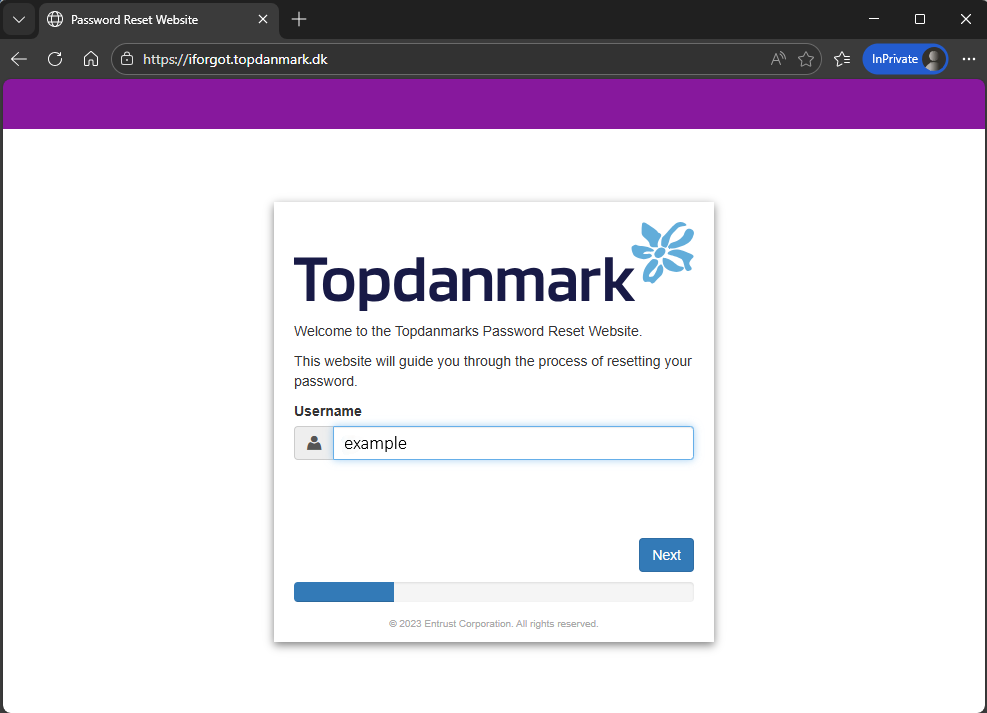
Step 1: Enter your Topdanmark username
Type your Topdanmark user ID and continue to the verification step.
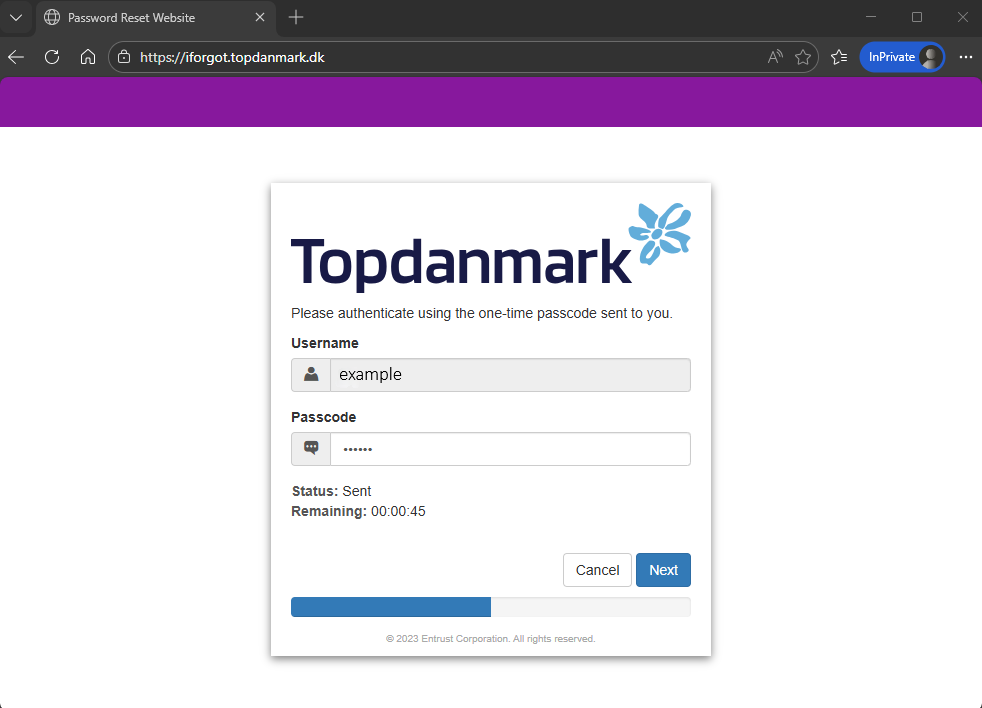
Step 2: Verify with SMS
We will send a verification code by SMS to your registered phone number. Enter the code on the reset screen to continue.
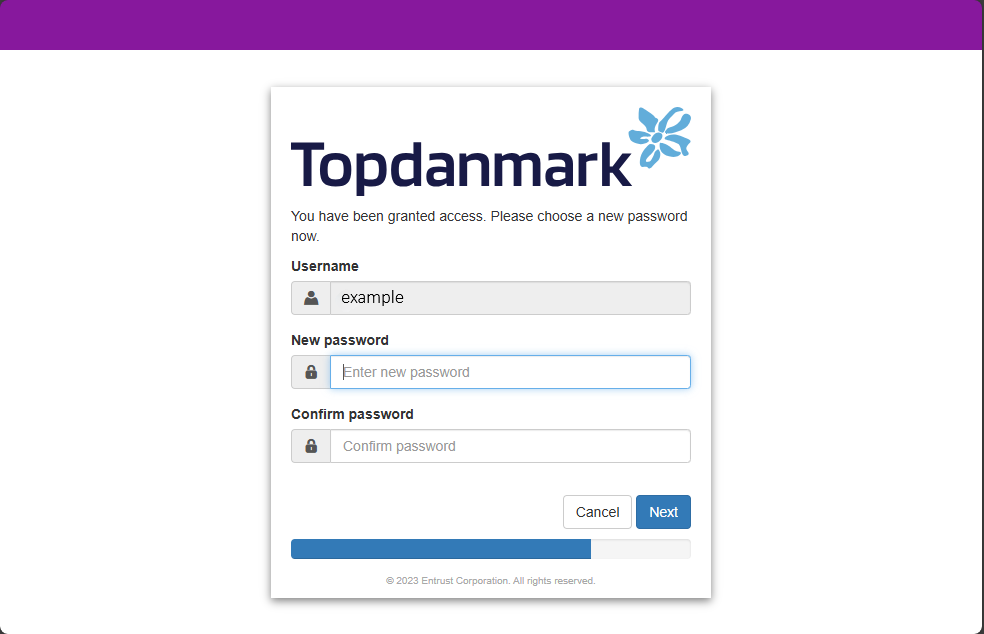
Step 3: Create a new password
After verifying with SMS, enter your new password twice to confirm it.
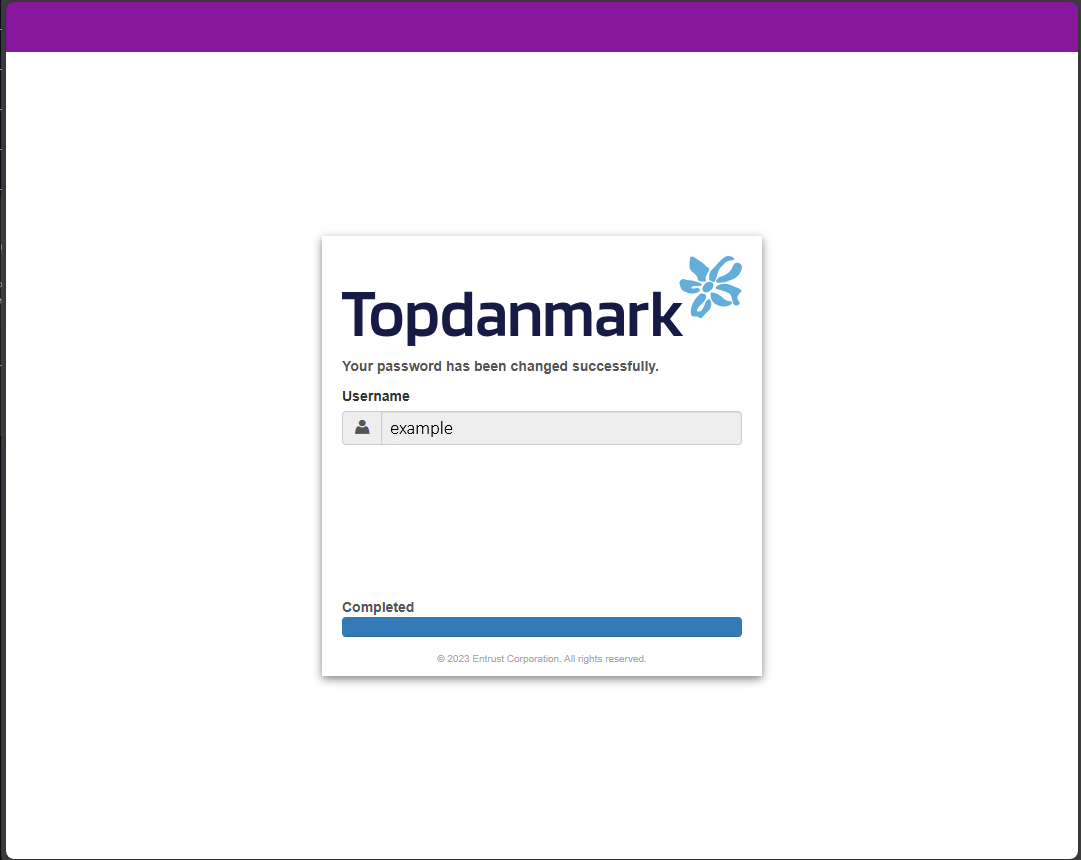
Step 4: Confirm success
Once the reset is complete, you will see a success confirmation screen.
Note: Restart your computer after the password reset is confirmed so the new credentials are applied to Windows and your apps.
Step-by-step reset
- Open the Topdanmark password reset website in your browser.
- Enter your Topdanmark username on the welcome screen.
- Verify your identity using the SMS code sent to your registered phone number.
- Choose a new password that meets Topdanmark password requirements and confirm it.
- Restart your computer after the password reset is confirmed so the new credentials are applied to Windows and your apps.