
This guide explains how to unlock your account using the official IF self-service portal.
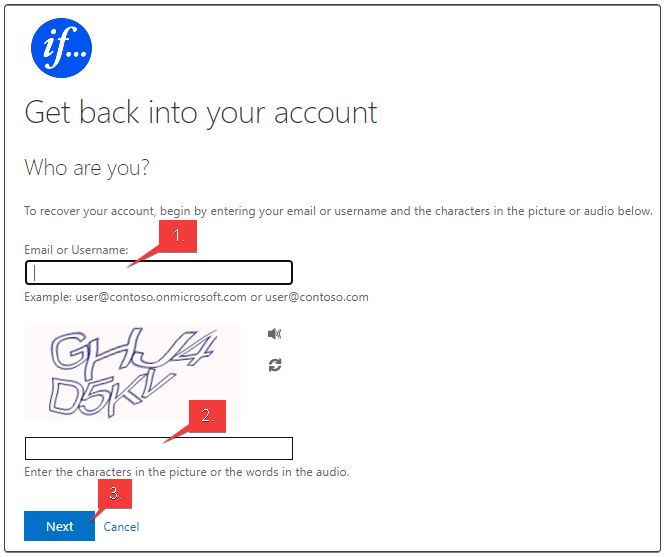
Step 1: Enter your credentials
- Enter your work email address.
- Enter the provided characters.
- Press Next.
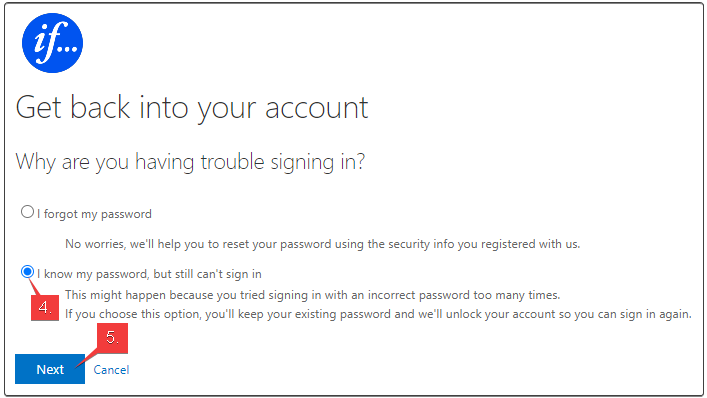
Step 2: Select account unlock
- Select "I know my password, but still can't sign in".
- Press Next.
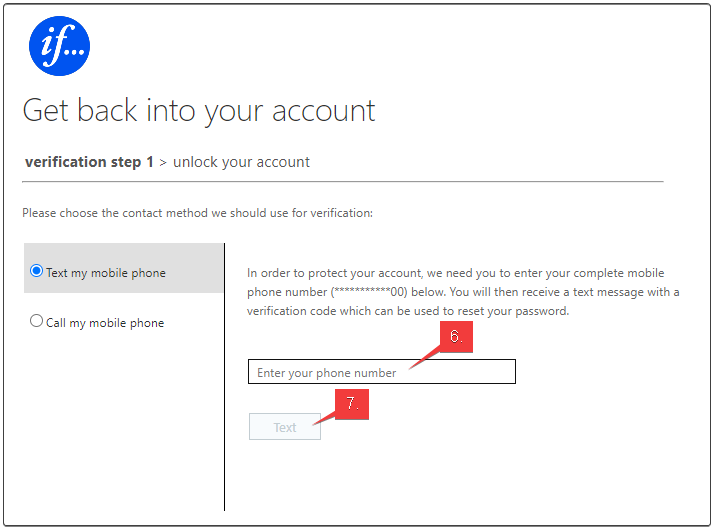
Step 3: Verify your identity
- Enter your phone number.
- Choose Text or Call.
- Enter the verification code.
Step-by-step unlock
- Enter your work email address and the provided characters, then press Next.
- Select "I know my password, but still can't sign in" and press Next.
- Enter your phone number and choose to receive verification by text or call.
- Enter the verification code to complete the unlock process.